📖 User Guide
This user Guide is updated regularly. It allows you to enter in the details to learn how to use the editor.
|
📄 View manual in PDF format Listen in voice mode :  ActorsLast update : January 04, 2026🔗 Create new actorLet’s start by creating a new actor using the expandable **“Create Actor”** panel: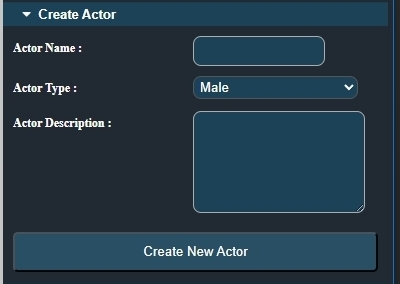 Give your actor a name. It must be unique. A real-time check is performed as you type, and you will be notified if the name already exists. ⚠️ Next, choose whether the actor you want to create is male or female. 🧍♂️🧍♀️ Finally, you can add a description to your actor. This is mainly for your own reference, helping you remember what you plan to do with this character later. 📝 All that’s left is to click the **“Create New Actor”** button. You will then see a newly created actor appear, initially without any clothes (the character is nude at first). 👤 Later, once you have saved this character, you will be able to reload and edit it using the **“Load Actor Customized”** panel: 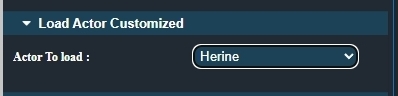
In the next chapter, we will see how to give your character a more decent outfit. 👕👖 |