📖 User Guide
This user Guide is updated regularly. It allows you to enter in the details to learn how to use the editor.
|
📄 View manual in PDF format Listen in voice mode :  GDDLast update : January 06, 2026🔗 Edit PageTo edit a page, select it from the menu on the right. On the left side, you will find an "Edit" button. Clicking it enables Edit Mode, which displays the content inside a WYSIWYG editor, allowing you to properly format your page.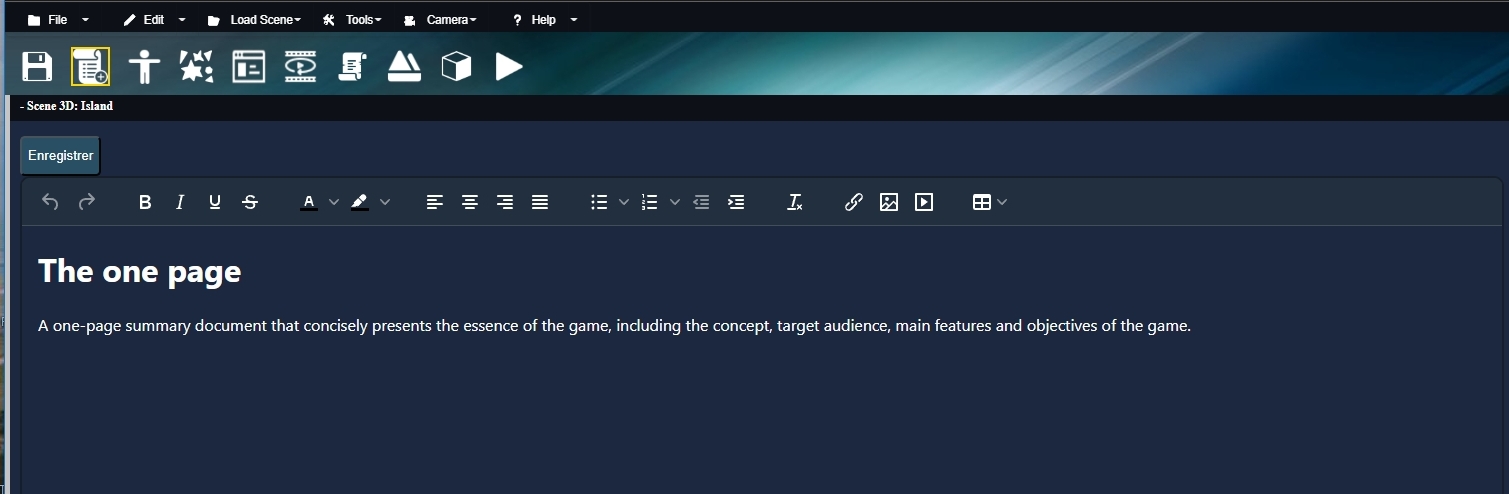
This editor is very straightforward, and there isn’t much complexity here 😊 You have a toolbar that lets you format your content easily: add colors, titles, links, images, and more. Simply write your text, highlight the parts you want to style, and use the toolbar buttons to make your page clear and pleasant to read. When you are ready to save your work, the "Edit" button becomes an "Save" button, allowing you to store your changes. And that’s it! Nothing complicated — yet extremely useful. This editor helps you keep a clear and structured vision of your game, without ever leaving the editor, which provides a very comfortable workflow. Most importantly, always remember this: ✨ There is no right or wrong way to fill out a GDD, and no strict rules to follow. ✨ This tool exists purely to help you, whether you are working alone or as part of a team. ✨ Its main purpose is simple: to help you clearly understand what you want to create, why you want to create it, and where you want your game to go. |