📖 User Guide
This user Guide is updated regularly. It allows you to enter in the details to learn how to use the editor.
|
📄 View manual in PDF format Listen in voice mode :  StoryboardLast update: February 09, 2026🔗 Editing & Connections
Cutscenes are represented by an image node. Each cutscene node marks the exact point where a cinematic sequence starts in your game. These cutscenes can be connected together using mission blocks.
One cutscene can be marked as Start. Missions are represented by simple text blocks. They display the mission description, making them easy to identify within the storyboard.
A mission can connect two cutscenes.
This process can repeat as many times as needed to build a complete and coherent storyline. 🔁📖 Each mission can optionally lead to two different cutscenes:
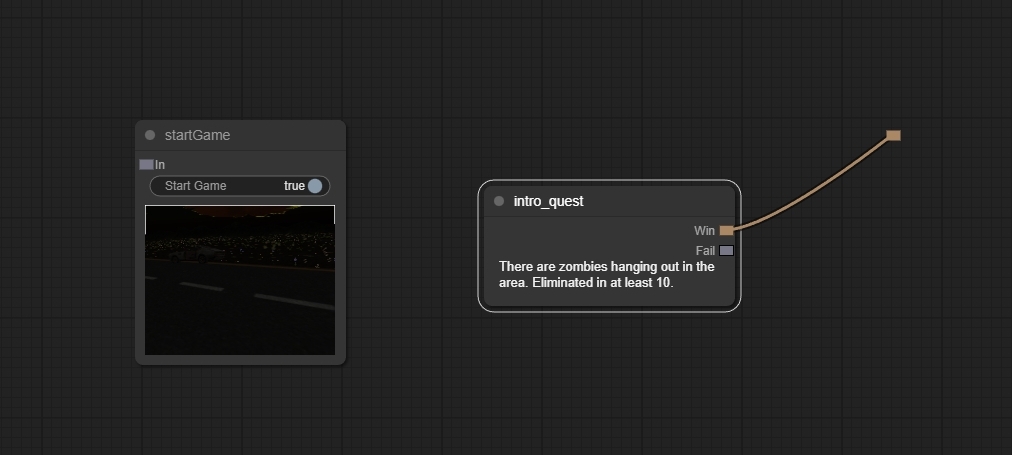
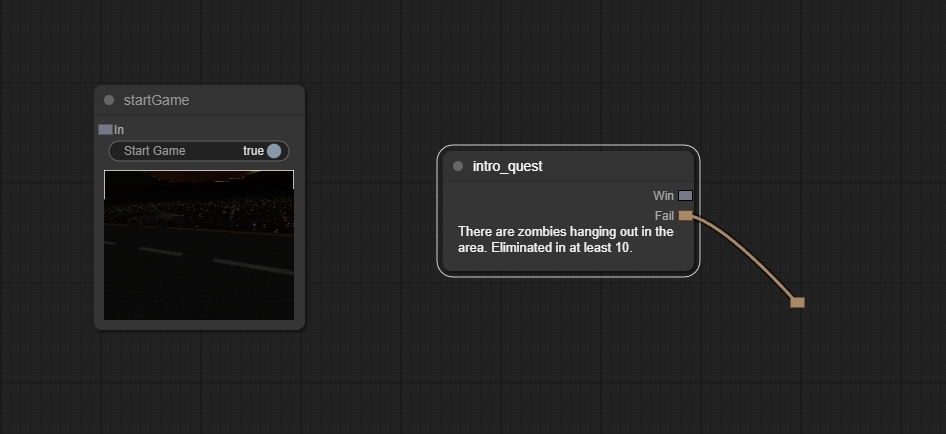
Connecting a failure cutscene is optional. If no failure cutscene is linked, the game will simply not trigger a cinematic on mission failure. Below are examples of mission connections:
|