🛠️ Your first project with Realm-Crafting
🎮 Create a Demo Project
To get started quickly, it’s recommended to create a demo project, especially if you're a beginner.
This creates a project with a basic game you can freely edit — a great way to get familiar with the editor.
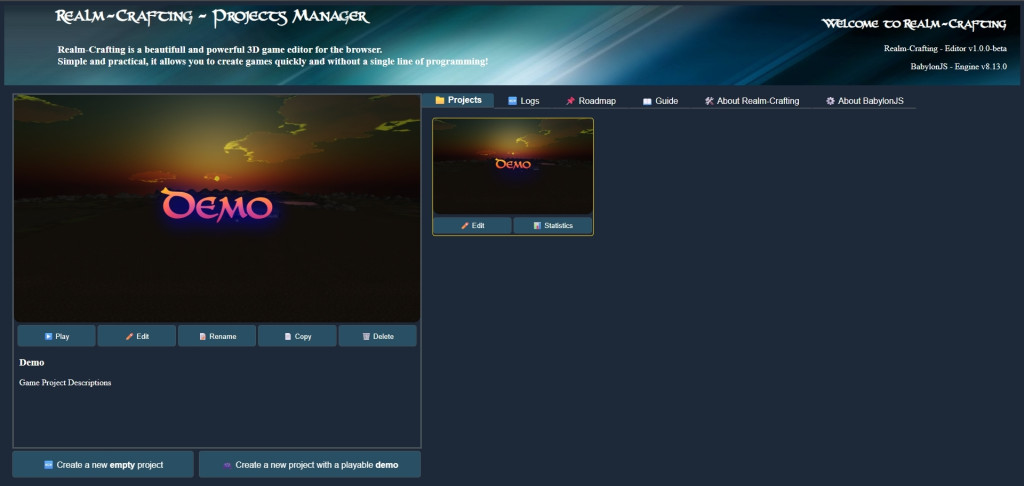
Once created, your demo project will appear like this:
✏️ Edit Your Project
Click "Edit" to open your project in the main editor.
And that’s it! You’re ready to create your own 3D RPG universe.
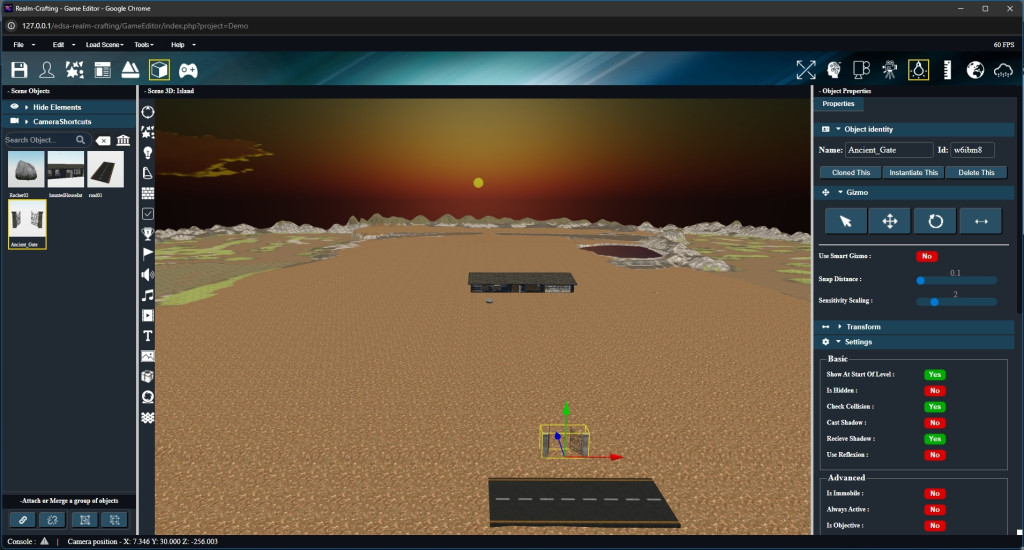
A user manual can be accessed in the Help menu of the editor and in a tab of the project manager. And tutorial videos of different functionality are accessible in the right panel depending on the open sub-editor. You will also find different tutorials or tips that will be added gradually in the forum.
Feel free to ask for help if you have any questions or run into issues.
