 HOME
HOME
Loading...
HOME
Realm-Crafting is a free, modern, open game editor designed to create complete experiences.
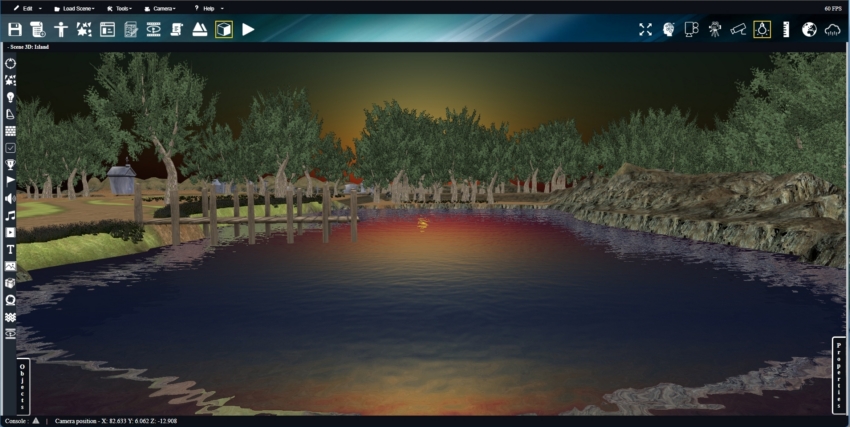
Realm-Crafting is a browser-based 3D game editor that lets you create interactive worlds,
puzzles, AI systems, gameplay behaviors, and more, without writing a single line of code.
Realm-Crafting uses the powerful open-source rendering engine BabylonJS.
It is aimed at creators, dreamers, tinkerers, gamers.
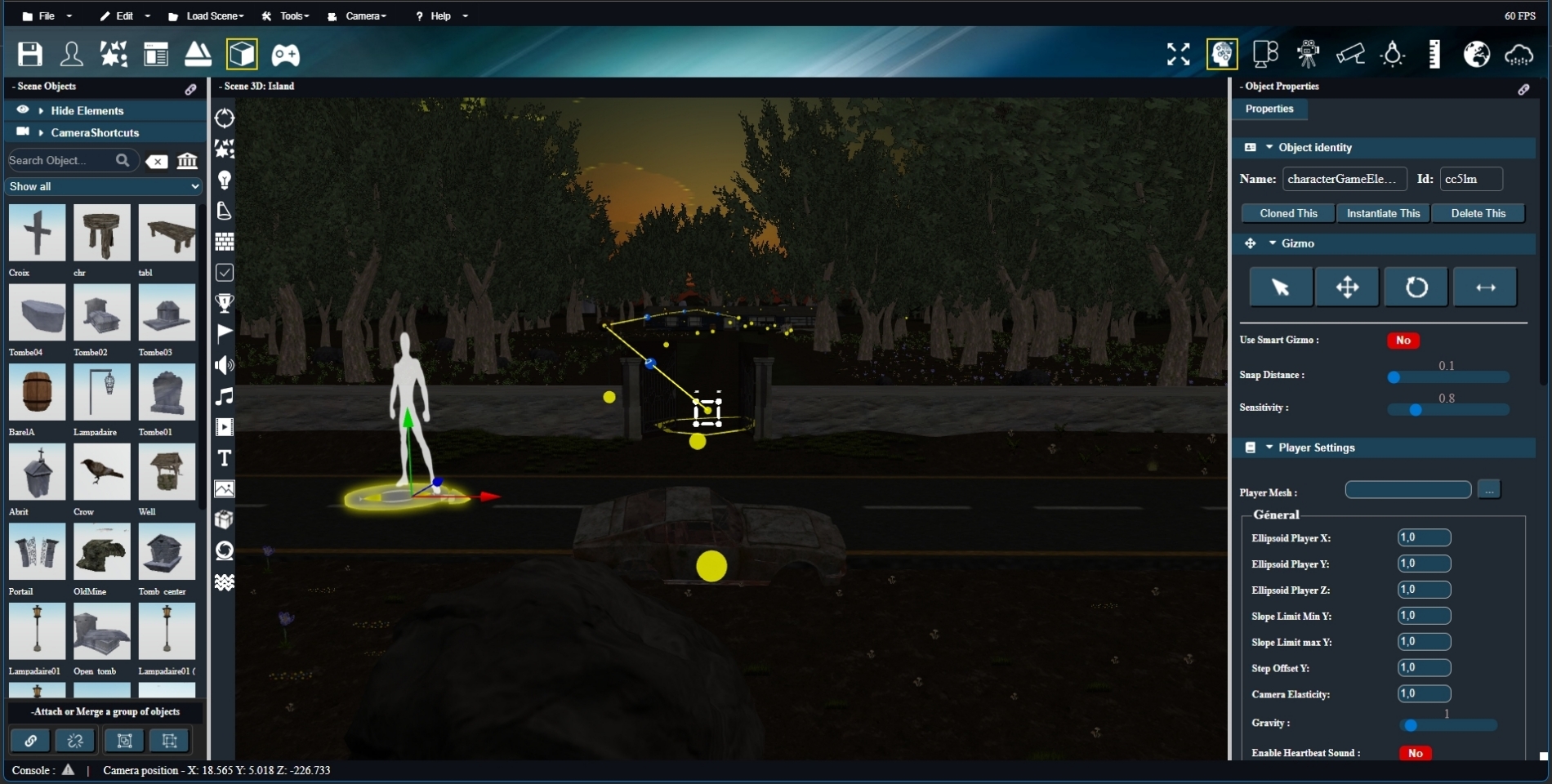
It's all done by dragging and dropping objects, visual scripts, and effects into a scene.
Build what you want your way.
Whether you want to make a horror game with apparitions, a game of avanture, an RPG with quests and dialogues,
or a simple world to explore with visual effects... Realm-Crafting adapts to your imagination.
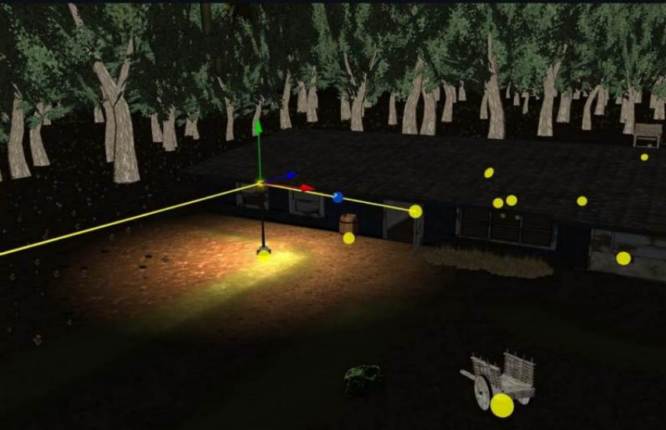
Built-in editors allow you to create interactive objects, rich environments, a custom graphical interface,
controllable characters, or even dynamic event systems through a system of logical connection and visual behavioral scripting.
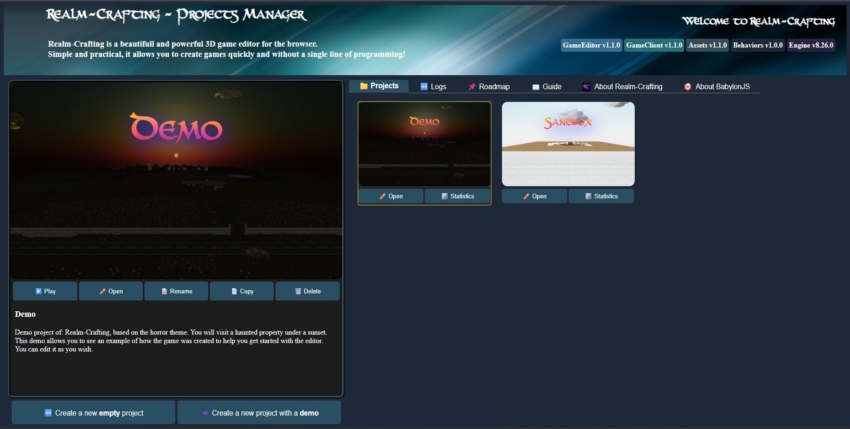
With the Project Manager, start your creations with ease.
Create and edit projects with a clear and intuitive interface.
It’s the first step before diving into the editor and shaping your universe.
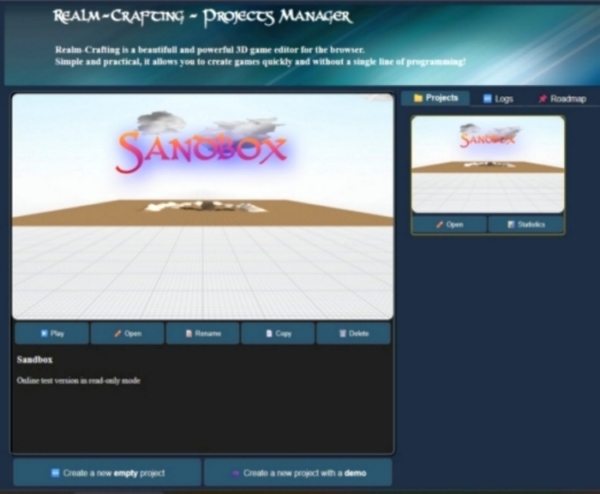
Curious about how the editor feels? Explore the live online version and see it in action directly in your browser!
Please note: this demo is read-only, so your changes won’t be saved.
Like what you see? Download Realm-Crafting and unleash the full power on your computer.
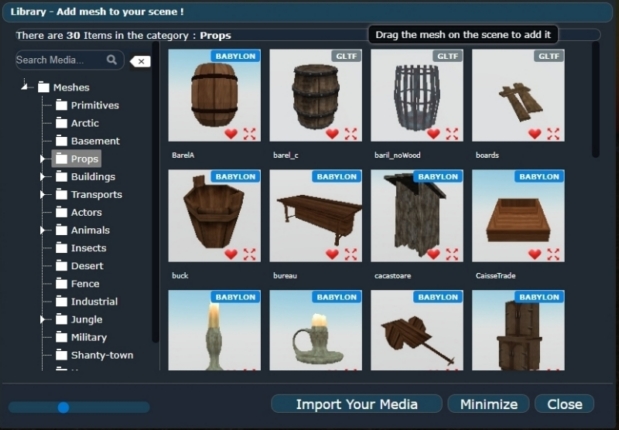
Realm-Crafting includes a collection of ready-to-use assets.
The complete library is available remotely, allowing you to browse and use all available assets without having to download the entire library to your computer.
Assets are downloaded to your local library on demand when you use them, so your computer only stores the resources you actually need.
This helps keep the editor installation lightweight and avoids using unnecessary disk space.
You can use the library assets directly in your levels without importing anything, to create a game that works from day one.
You can also import your own assets in the following formats:
- 3D models: .babylon, .gltf, .glb
- Images/textures: .jpg, .png, .gif, .tga, .dds
- Sounds: .mp3, .ogg, .wav
- Video: .mp4, .ogv, .webM
- Scripts: .js, .php, .conf
To use 3D objects, drag them to the stage where you want them; to use the other assets, drag them into the property fields of the selected object.
Triggers actions when a player approaches, presses a button, or crosses an area.
Adds patrol, chase, escape, or coordination behaviors between NPCs.
Create logic puzzles, switches, codes to crack, or activation sequences.
Implements choice dialogues, reputation, barter, or persuasion systems.
Gives life to creatures with specific behaviors: swimming, flying, wandering, flight, or attacks depending on their species.
Incorporates realistic simulated interactions: pushable objects, moving platforms, gravity or dynamic balance effects.
Behaviors are visual scripts (which are already written) that you apply to your objects to bring them to life by simply dragging and dropping.
They allow you to create interactions, movement, puzzles, intelligence, special effects and others without any code to write.
Install behaviors from a catalog grouped by categories, and make your objects interactive by linking them to other objects through the logical connection system.
You can create this kind of thing :
actions ➜ reactions ➜ (reactions & reactions) ➜ reactions... (chain reactions)
Or with multiple connections via a router :
⬈ reactions ➜ (reactions & reactions) ➜ reactions ... (chain reactions)
actions ➜ (reactions & reactions) ➜ reactions ➜ reactions ... (chain reactions)
⬊ reactions ➜ reactions ➜ (reactions & reactions) ... (chain reactions)
You can attach one behavior script per object, but since version 3.1.0 a specialized script allows you to attach multiple behavior scripts for an object.
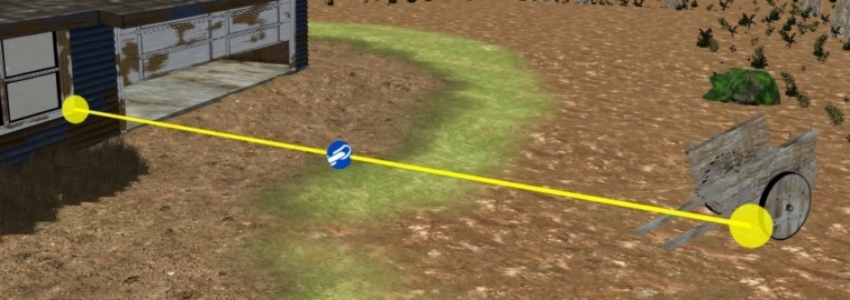
Visually connect objects to create advanced logical interactions (e.g., opening a door when a lever is activated, triggering traps, connecting puzzles, etc.).
Objects can be chained together to create cascading effects.
Connections determine the execution of related behaviors.
Example Connection:
actions ➜ reactions ➜ (reactions & reactions) ➜ reactions...
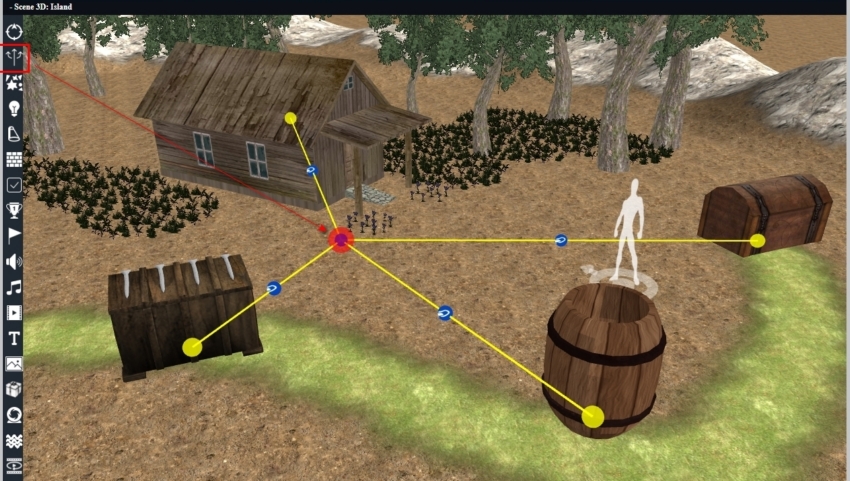
Visually connect multiple objects to a router to create advanced logical interactions (e.g., an action, triggers multiple objects at once.).
Objects can also be chained together to create cascading effects.
Multiple connections determine the execution of related behaviors.
Example Connection:
⬈ reactions ➜ (reactions & reactions) ➜ reactions ...
actions ➜ (reactions & reactions) ➜ reactions ➜ reactions ...
⬊ reactions ➜ reactions ➜ (reactions & reactions) ...
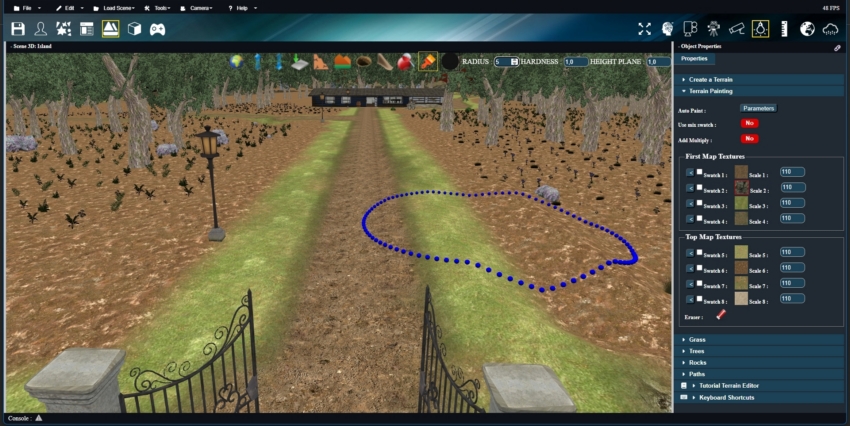
Sculpt your world with intuitive terrain tools: raise mountains, carve valleys, dig caves, and shape landscapes in real time.
Paint up to 8 terrain textures and blend them smoothly using mix-textures to create natural and detailed environments.
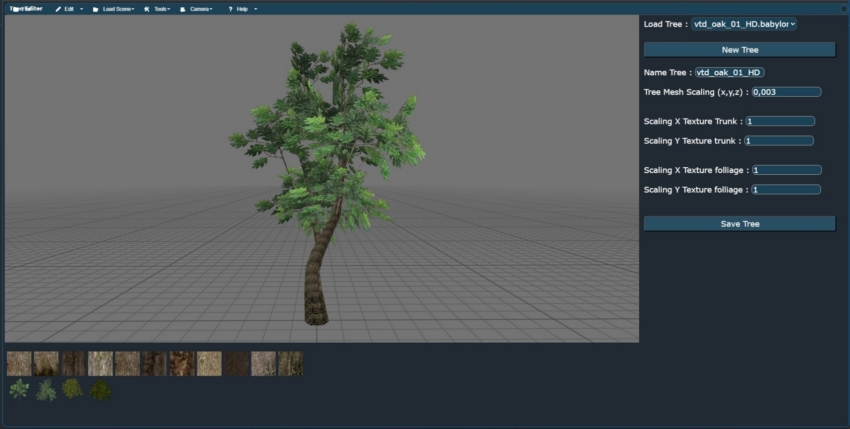
Populate your scene effortlessly with multi-object painting to place grass, trees, rocks, and props in a fast, organic, and seamless way.
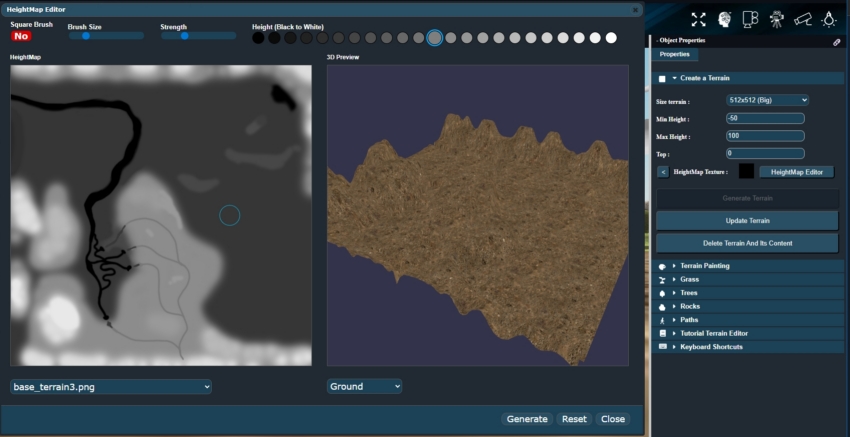
The Heightmap Editor allows you to create and edit terrain heightmaps directly inside Realm-Crafting with a real-time 3D preview.
Using a grayscale painting system from black to white, you can sculpt mountains, valleys, cliffs and landscapes intuitively on a 2D canvas while instantly visualizing the result in 3D.
The editor supports importing existing heightmap images, allowing you to modify and improve any terrain source directly within the engine.
You can also change the terrain textures in real time to preview different environment styles while editing.
Once your heightmap is finished, it can be saved and used directly inside the Terrain Editor to generate fully explorable 3D terrains for your game worlds.
Create in-game cinematic sequences with ease.
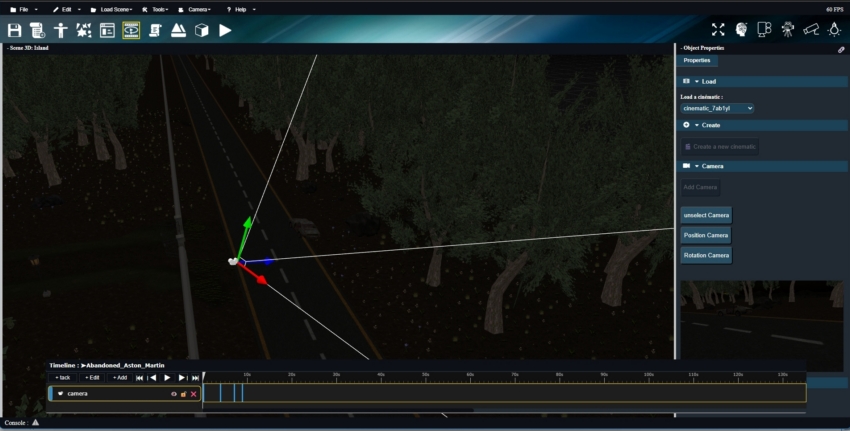
The Cinematic Editor lets you animate characters, objects, cameras and events on a timeline
to tell stories, introduce levels, or create dramatic moments.
No complex scripting required: everything is visual, intuitive, and designed to help you
build immersive cutscenes directly inside your game world.

Plan and organize your game's story and events with the Storyboard Editor.️
This editor allows you to define cinematic sequences and quests, determine the order in which cutscenes are triggered,
and visualize the entire flow of your game at a glance. You can easily connect scenes, events, and interactions
to ensure a smooth and engaging player experience.
No programming is required: everything is visual and intuitive, making it simple to manage complex narratives
and plan the pacing of your game while keeping full control over story progression and player interactions.
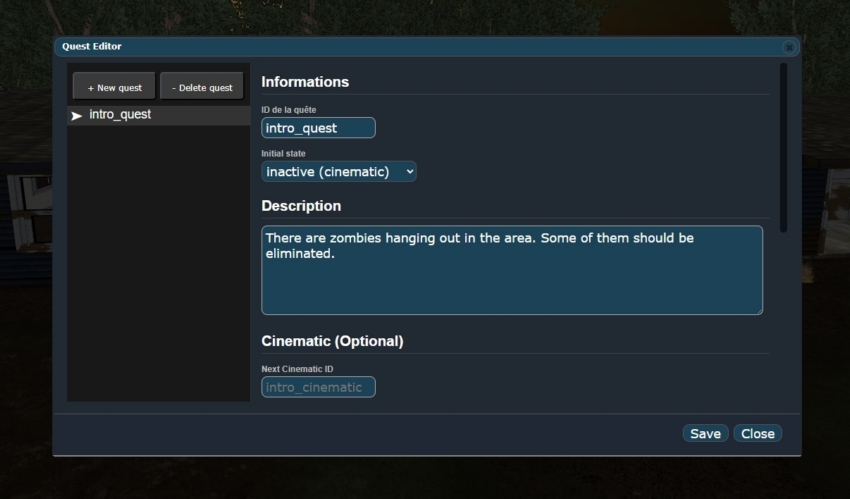
Design quests, missions and objectives without writing code.
The Quest Editor allows you to create structured quest flows with conditions, triggers,
rewards and progression logic.
From simple objectives to complex multi-step missions, everything is visual and easy to manage,
making it perfect for RPGs, adventure games or narrative-driven experiences.
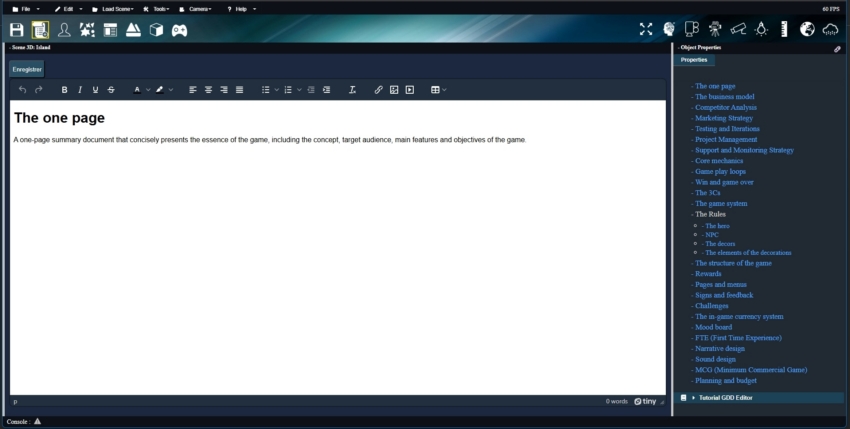
Organize and structure your game ideas using a built-in Game Design Document editor.
Describe your core concepts, gameplay mechanics, target audience, story, characters, level design, visuals, and user interface in one centralized place.
The GDD helps you keep a clear vision of your project and makes it easier to plan, iterate, and share your design decisions.
Plan your game world before building it in 3D. The World Planner lets you capture any area of your terrain and turn it into a 2D workspace where you can sketch roads, buildings, vegetation, points of interest and other elements.
Use colors, shapes, freehand drawing, graphic elements and interactive markers to organize your ideas and experiment with different layouts. The scale of the drawing is based on the actual dimensions of your 3D terrain, helping you estimate the space each element will occupy.
When your plan is ready, save it, print it, and use it as a visual guide while building your world in the Level Editor.

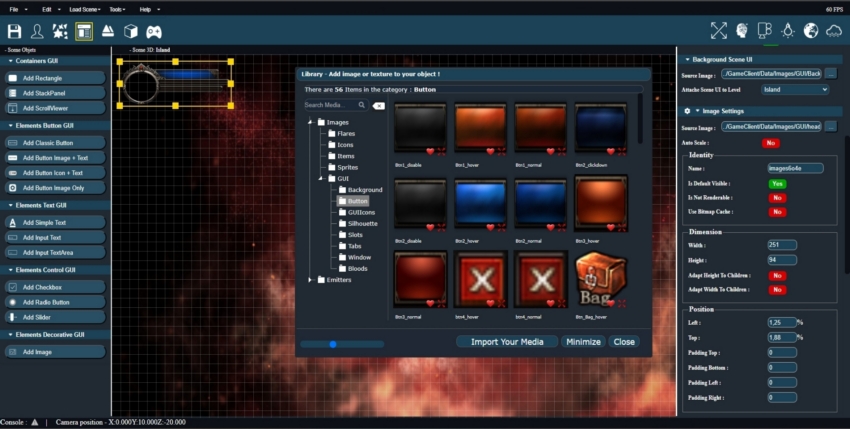
Design dynamic game interfaces such as HUDs, menus, inventories, dialogs, and overlays using an intuitive drag-and-drop editor.
Easily position, resize, and style UI elements, then bind them to gameplay logic to create responsive and interactive user experiences.
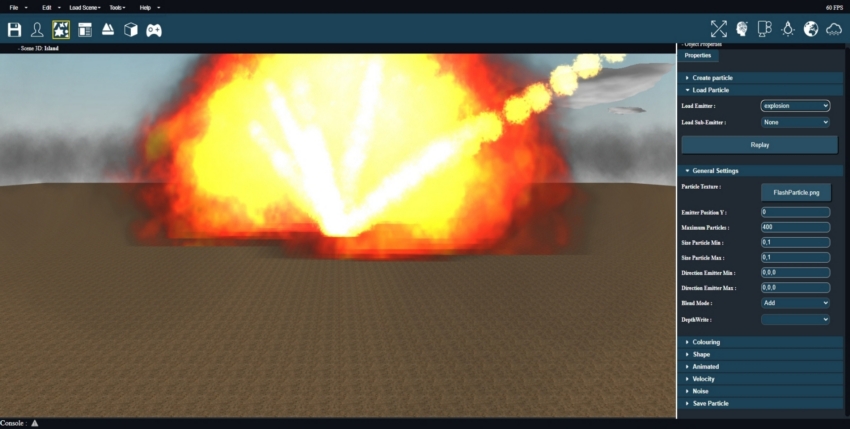
Create advanced visual effects using a powerful and visual particle editor.
Control emitters, sub-emitters, blend modes, animation sheets, and effect behaviors with a real-time preview to fine-tune explosions, magic, smoke, fire, and more.
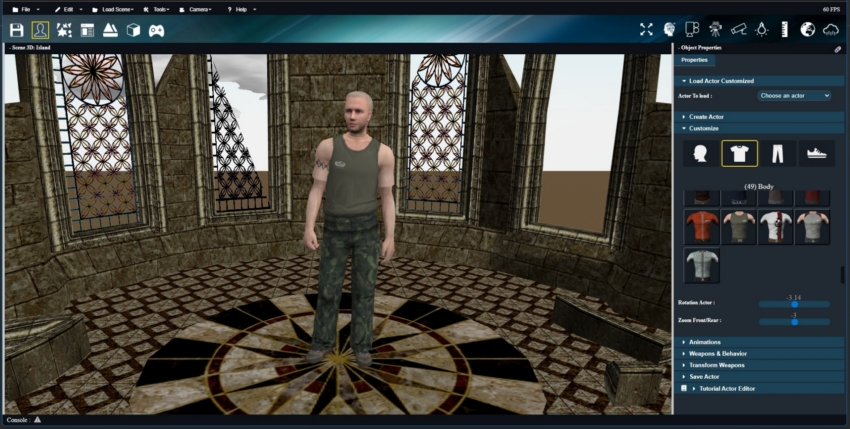
Create and customize unique characters by combining models, accessories, and animations.
Assign behaviors, equipment, and interactions to fully control how actors look, move, and react inside your game world.
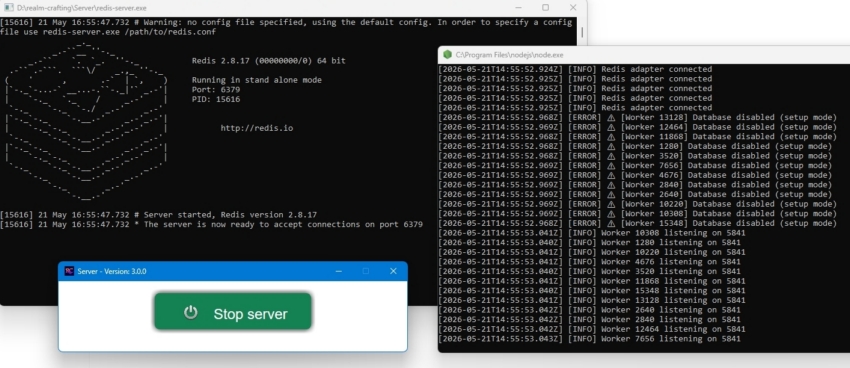
Realm-Crafting includes a powerful NodeJS multiplayer server architecture designed for online games and persistent worlds.
The server uses Socket networking, Clustering, Redis and MySQL to provide scalable and responsive multiplayer features.
It supports user registration, login system, avatars, chat, rooms and administrator roles directly integrated with the editor.
The networking system can be enabled easily from the editor, allowing creators to build online experiences without creating the server architecture from scratch.
This system is designed as the foundation for future multiplayer gameplay features and large-scale online projects.
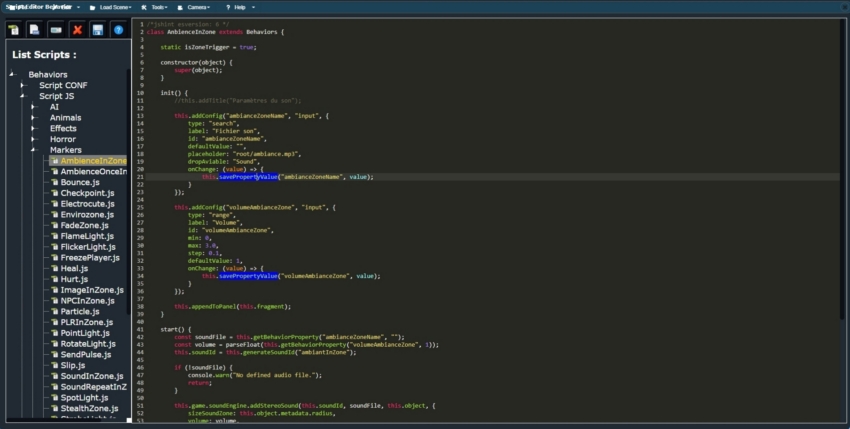
Create your own behavior scripts to customize your worlds — for yourself or to share with the community.
You can also extend or refine the ones already included. An SDK is available to make creation even easier.
Scripting is completely optional: Dozens and even hundreds of ready-to-use behavior scripts are already included..
And if you decide to dive in, the integrated script editor is here to help, with real-time error feedback and a simple, beginner-friendly interface.
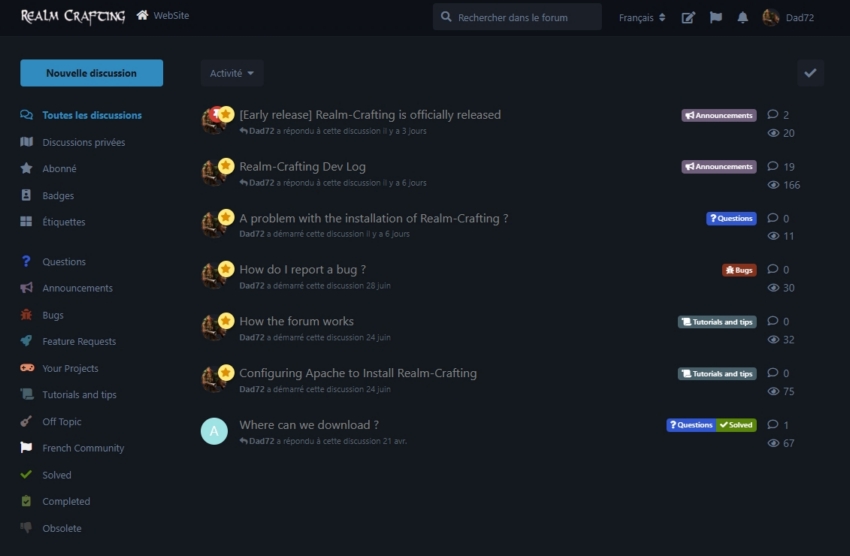
Ask your questions, share your creations, discover tutorials, tips or propose your ideas on a modern and benevolent forum.
The Realm-Crafting forum is the ideal place to progress, meet the community, contribute to the project, see announcements...
Get started creating your worlds with Realm-Crafting without writing a single line of code. The editor is completely free.
Available for Windows and a modern browser such as Google Chrome, Opera, Edge, Brave, Safarie...
To install see the tutorial on the forum.
Completely free, editable, and designed for the community. With Realm-Crafting everything is open-source, even what it uses externally: the website, the 3d engine (with BabylonJS), the forum (with Flarum)...
Realm-Crafting's source code has a public repository available on BitBucket for an open contribution system.
Take advantage of features and improvements from community feedback and contributions, ensuring that the editor evolves to meet the needs of its users.